15:00The Salon · projects
Brimline Case study 2026 ★ Public source code

Know what is left, before the brim.
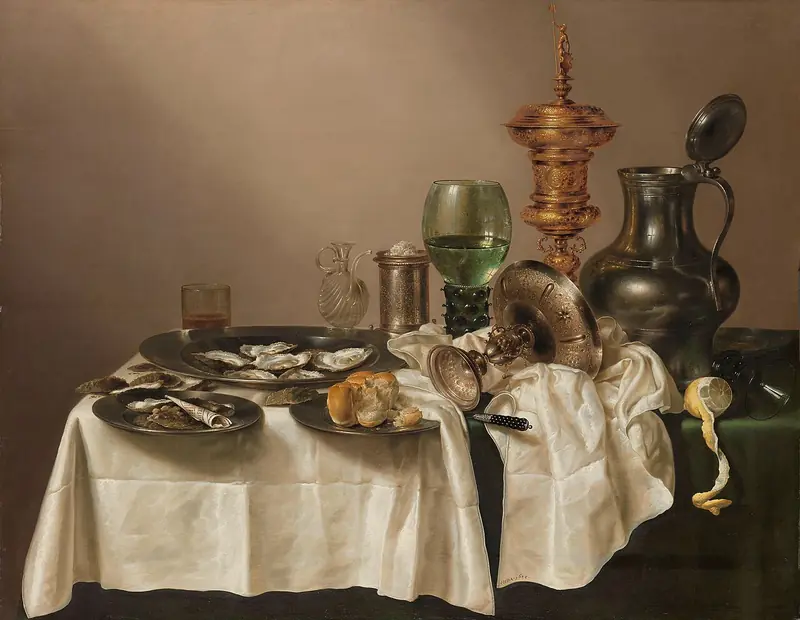
Willem Claesz. Heda, Still Life with a Gilt Cup
The Salon · N° 01Willem Claesz. Heda, Still Life with a Gilt Cup · one glass still half full, another already on its side: knowing where you stand before the brim. The server is an addition for the Salon.

Brimline is a free Mac app with public source code, under the PolyForm Shield licence, that I built. In the menu bar, it shows where each limit of your AI subscriptions stands, account by account, each one named by its email address: Claude with several accounts, ChatGPT through Codex, Gemini through Antigravity, Grok and Cursor. Your agents read the same numbers, to pick the account that still has room.
Role Design & development
Year 2026
Licence PolyForm Shield · free
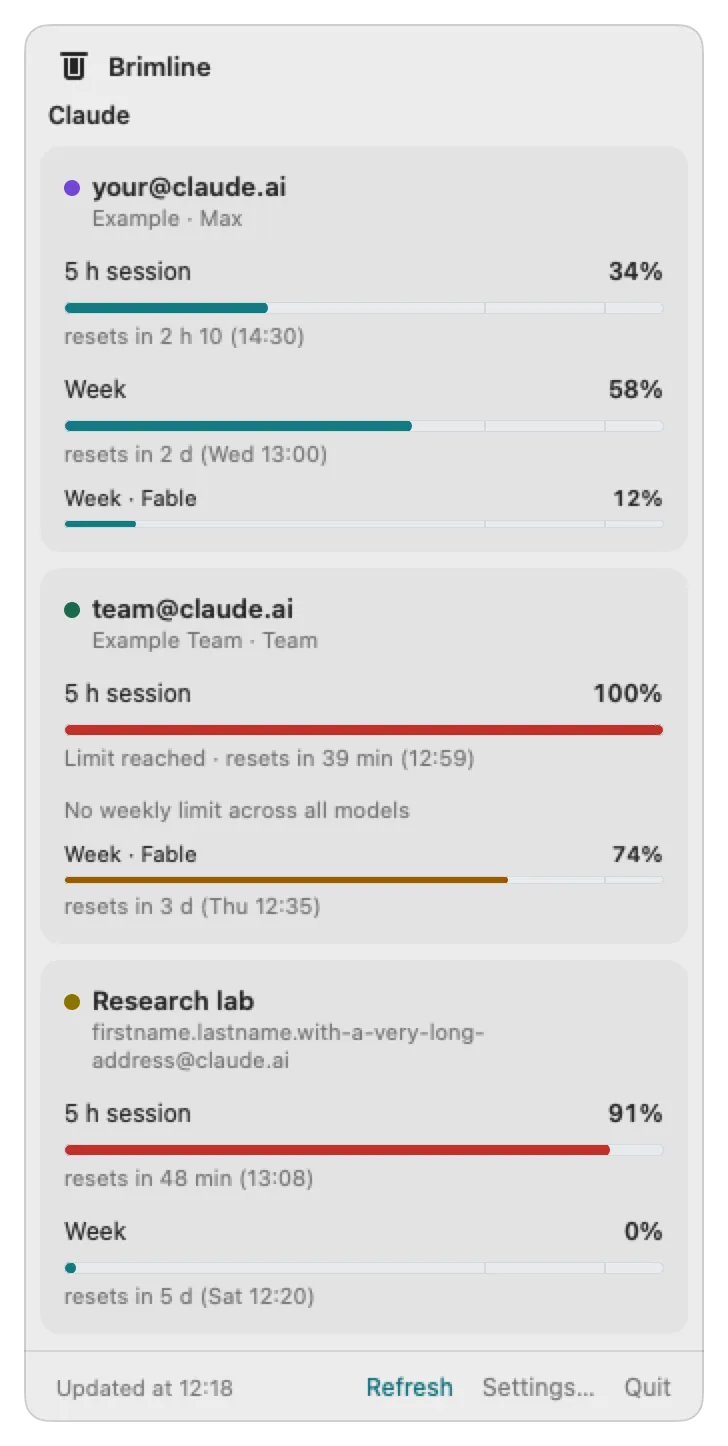
The Brimline window: three Claude accounts with their session, weekly and per model limits
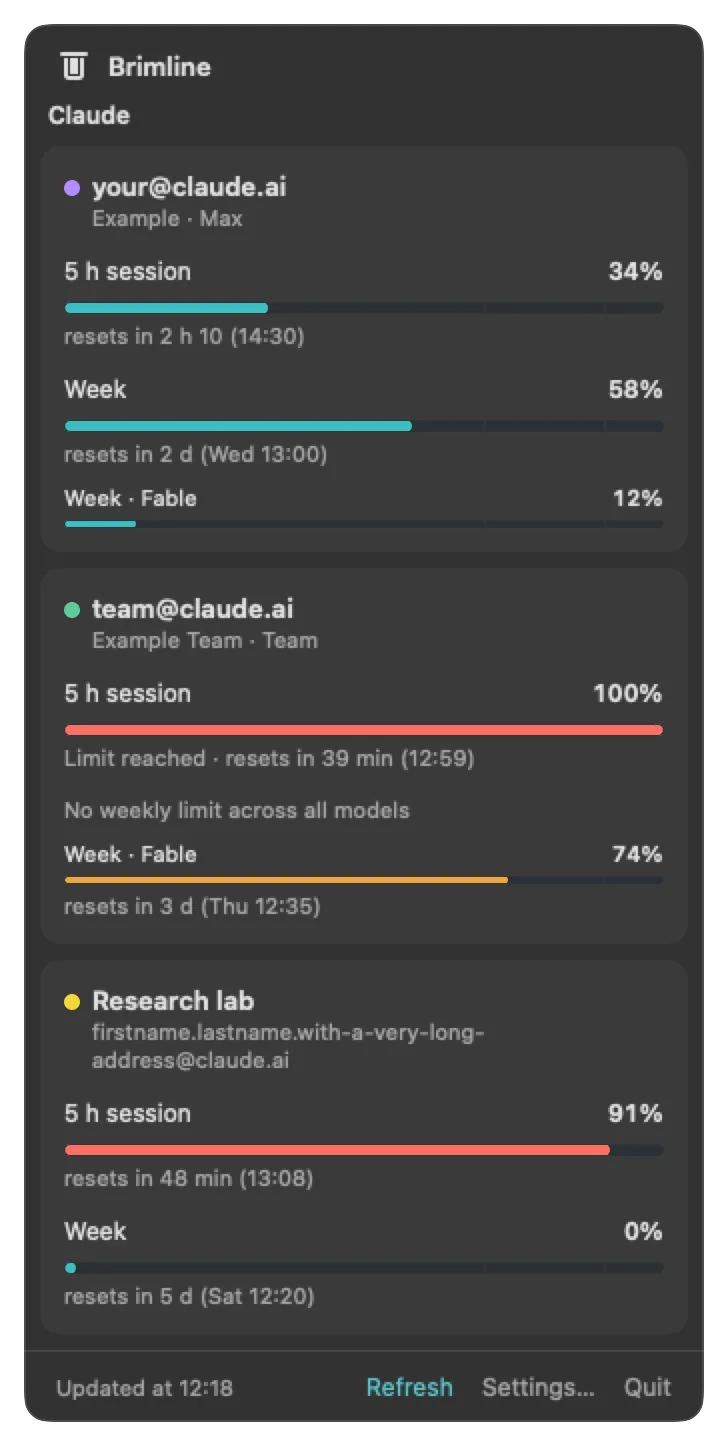
The same window in dark mode
The studio · BrimlineThe window that opens from the gauge, light and dark: one card per account, one bar per limit (five hour session, week, week per model) and the time each one resets. Made-up accounts and numbers, for the example.
The problem

Several accounts, one indicator, and no name on it.

With several Claude accounts, or Claude and ChatGPT, Gemini, Grok, Cursor, the indicators built into the tools show one account at a time, without saying which one. To know where the others stand, you open each tool, or each settings page, one by one. And an agent never sees the limit coming: it finds out when its request fails.

Brimline does the opposite: every limit side by side, at a glance, at the top of the screen.

The choices

Read, never write, and stay on the Mac.

Four decisions, so that it can be trusted with your sign-ins.
01

Read only

Brimline reads the sign-in your AI tools already keep on the Mac. It never refreshes, rewrites or moves it, so it cannot sign you out of a tool. One exception, said out loud: for Gemini, it launches Google’s own command, which may renew its own sign-in.

02

Nothing leaves the Mac

Except the usage requests to each provider. No Brimline server, no telemetry, no token in a log. Claude is on. Every other provider stays off, and is not touched at all, until you turn it on.

03

Public source code

The code is public, under the PolyForm Shield licence, and the app is free: anyone can use it, change it and share it, at work too. Nobody may turn it into a competing product, for example by reselling it or offering it as a hosted service.

04

Honest about fragility

As far as I know, no provider documents an endpoint for subscription limits (Google documents a command, /usage in Antigravity, but not the format of its text): Brimline uses the ones the official tools use, which can change without notice. When one breaks, or a provider gives no number, Brimline says so in a sentence instead of showing a wrong one.

The app

What Brimline actually does.

A gauge for you, a command and an MCP server for your agents: both read the same numbers.
01 / Menu bar

One gauge, one share per account

A small gauge lying in the menu bar, with one coloured share per account: the whole is the average of your accounts. As soon as one account reaches 90%, the end of the gauge turns into a red exclamation mark, a shape and not only a colour; the tooltip and VoiceOver say it in words.

macOS 14+
02 / Limits

Every limit, its reset time

One card per account, named by its email address: the five hour session, the week, the week per model, each with its percentage and the time it resets.

Session · Week · Model
03 / Providers

Five providers

Claude with several accounts, each in its own Claude Code folder and found on its own; ChatGPT through Codex, Gemini through Antigravity, Grok and Cursor, each tried on a real account.

One plugin per provider
04 / Agents

The account with room left

A command with JSON output and a local MCP server: its best_account tool ranks your accounts by room left, so an agent can pick the one that can still work. Brimline never switches accounts itself.

JSON · MCP
05 / On the side

A tidy menu bar

Brimline can hide the icons of other apps, Claude, ChatGPT or Cursor, behind a thin bar of its own: one click hides them and the bar becomes an arrow «, a click on the arrow brings them back. Off by default.

Hide without removing
A real menu bar on macOS 27: a click on Brimline’s thin bar hides the icons one after the other, the bar becomes an arrow, then a click on the arrow brings them back
The studio · the menu barA real menu bar on macOS 27: the icons disappear in place, one after the other, from the farthest to Brimline’s bar, which becomes an arrow, then come back with one click. This needs the Accessibility permission, used only to read where the icons are, and the app in the Applications folder. On macOS 26 and before, the bar grows long to push them out of sight.
The result

A small app, one line to install it.

A Swift app built with Apple’s command line tools only, without Xcode, and a brimline command for Terminal and agents. Mac only: macOS 14 or later, Apple silicon or Intel; no Windows or Linux version.
curl -fsSL https://brimline.thanaelfontaine.eu/install.sh | sh

Pasted in Terminal, this line downloads the latest version from GitHub, checks it against its published SHA-256, puts Brimline in the Applications folder and opens the app, with no administrator password. Run again, it updates.

One free app, every limit at a glance, and your agents know which account to use.

Swift 6 SwiftUI Swift Package Manager Apple command line tools MCP · stdio JSON macOS 14+ PolyForm Shield licence

Brimline is an independent project, not affiliated with Anthropic, OpenAI, Google, xAI or Anysphere (Cursor).

Every limit, at a glance.

Case study · Thanaël Fontaine · 2026 github.com/ThanaelFontaine/Brimline contact@thanaelfontaine.eu