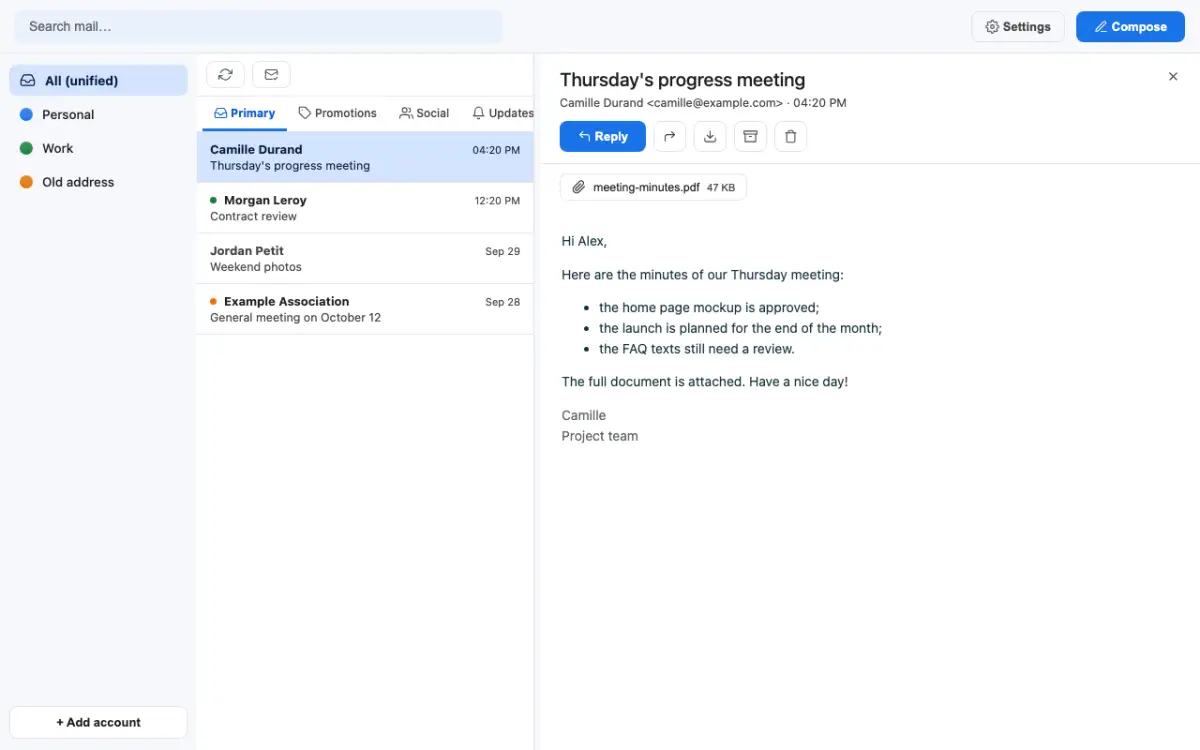
Maily is a free desktop app with public source code, under the PolyForm Shield licence. I built it as a bridge: installed on the computer, it connects to all my mailboxes, several Gmail accounts and IMAP mailboxes, and gives all my AI assistants one shared local access through MCP, instead of plugging every mailbox into every app.
I wanted the opposite: one door, on my computer, opening onto all my mailboxes, for every assistant to use.
Maily runs on the computer and talks directly to Gmail and to IMAP servers. There is no Maily server: mail stays with its provider, and Maily keeps a local copy for speed and search.
The code is public, under the PolyForm Shield licence, and the app is free: anyone can read what it does with their mail, use it, change it and share it. Nobody may turn it into a competing product, for example by reselling it or offering it as a hosted service.
One local MCP server for every mailbox: Claude, or any MCP-compatible client, reads, searches, syncs, exports, trashes and sends through it.
Your own OAuth credentials, tokens encrypted on disk, sanitised HTML and tracking pixels blocked by default. When an assistant reads a message, its content goes to that assistant’s provider: you choose which one.
The tools go through MCP over standard input and output (stdio): list accounts and messages, read, search, sync, export to .eml, download an attachment, move to trash (reversible on Gmail) and send from a Gmail account. Works with Claude and any MCP-compatible client.
MCP · stdioSeveral Gmail and IMAP accounts side by side: a unified inbox, one view per account, Gmail categories and labels.
Gmail · IMAPFull-text search (SQLite FTS5) across every account at once, in the local copy: fast, even offline.
SQLite · FTS5Messages sanitised and shown in an isolated frame, remote images blocked until you allow them; reply, forward and attachments.
Sanitised HTMLAn interface in five languages and four themes: Classic by default, Frutiger Aero, Glassmorphism and Zero Day.
Languages · ThemesOne free app, a bridge to all my mailboxes, and all my assistants go through it.
I have also built Maily’s engine into Babel, my own personal command centre.